Guide · Advertising rules · 4 min
DLD Permit Check — Verify Trakheesi
Published · Updated
DLD's Verify License and Permits service verifies e-copies of real-estate licences and permits issued through Trakheesi. It is available on the DLD website and Dubai REST app: select the service, enter the required data and view the returned information. Use the current authority result rather than a screenshot, a portal badge or an article.
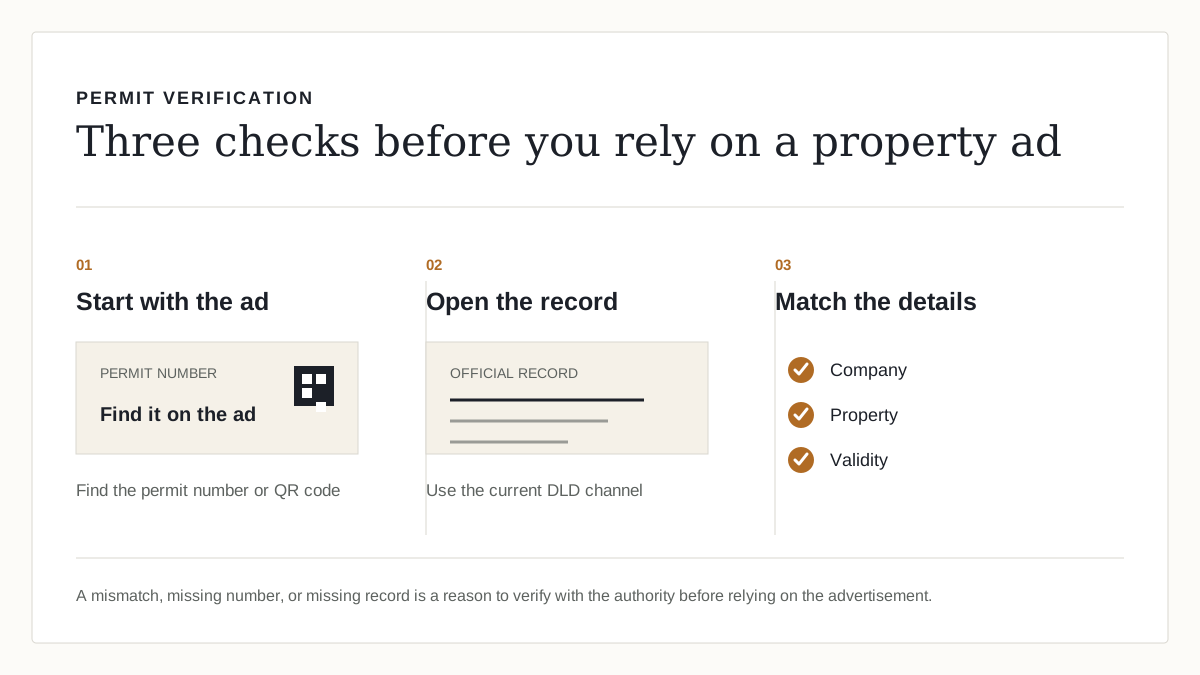
Use the DLD verification service
DLD's official service is named Verify License and Permits. Its stated purpose is to verify e-copies of licences and permits issued through the Trakheesi system for real-estate activities practitioners in Dubai. It is available through the DLD website and the Dubai REST app, and DLD publishes an immediate service time.
This guide does not substitute an unofficial QR-code lookup, an industry database or a portal's own moderation process for DLD verification. Those may be useful signals, but they are not the authority service described here.
The official three-step process
- 01
Open the DLD website or Dubai REST app
DLD lists both as service channels for Verify License and Permits.
- 02
Select Verify License and Permits and enter the required data
The public DLD procedure describes entering the required data and submitting it. Use the fields shown in the live service rather than relying on a copied workflow.
- 03
View the authority result and compare it with the campaign
DLD describes viewing the required information as the final step. Compare that current result with the e-copy or advertisement in front of you; ask DLD if the facts do not match.
What an advertisement must not replace
DLD's Brokerage Practice Guide says a real-estate brokerage must obtain a permit for real-estate advertising or marketing material through Trakheesi and display the permit number on the advertisement. A displayed number can be the starting point for a check, but the published verification service — not the number by itself — is the authority route for verifying the e-copy.
DLD's public verification page does not promise that every type of permit, listing channel or e-copy will produce the same fields. Avoid invented rules such as a universal QR-code format or a guaranteed list of response fields; use the live service and the exact authority record instead.
Sources and a note
Build the private version
Have a client asking for options right now?
Keep client shortlists off public portals, in one link, with WhatsApp follow-up. This product workflow does not determine any advertising-permit obligation.
Frequently asked
How do I check a Trakheesi permit in Dubai?+
Use DLD's Verify License and Permits service on the DLD website or Dubai REST app. DLD publishes the process as selecting the service, entering the required data and viewing the resulting information.
Does DLD have an official permit verification service?+
Yes. DLD's Verify License and Permits service verifies e-copies of real-estate licences and permits issued through the Trakheesi system.
Is a permit number on an advertisement enough to verify it?+
No. The DLD Brokerage Practice Guide says permit numbers must be displayed on advertisements, but use the DLD verification service to verify the e-copy rather than treating a displayed number as proof by itself.
Can I rely on a QR code or a portal badge?+
The official source used here is DLD's website/app verification service. A QR code or portal badge does not replace an authority result for a real verification decision.
Related guides
More guides for the same workflow
- Trakheesi Permit Explained — DubaiWhat DLD's Trakheesi Real Estate Ad Permit service covers, its published application steps, and where brokers verify a permit or a Contract A workflow.Read →
- Trakheesi Permit Number ExplainedWhat a Trakheesi permit number is, where it has to appear on a Dubai property advertisement, how to check one, and what a missing number tells you.Read →
- Dubai Real Estate Advertising RulesA source-backed guide to the DLD Real Estate Ad Permit and UAE NMA advertiser permit, their different scopes, exemptions and live authority checks.Read →
- RERA Forms A, B, F — DLD ContractsDLD's official definitions of Contract A, Contract B and Contract F for Dubai real-estate marketing and sales, plus the current authority workflows.Read →
Try it on your next shortlist